How to Get Product Photos Without a Photo Shoot
Learning how to get product photos without a photo shoot matters the first time you watch it happen: a shopper lands on your listing, looks at your candle for two seconds, and leaves. Not because the candle is bad — because the photo (kitchen counter, yellow ceiling light, edge of a sink) made it look like a guess. You know it smells good and burns clean. All she knows is what the photo told her, and it told her to keep scrolling.
The fix is not a studio and a day you do not have. It is understanding what a good product photo does, then picking the no-shoot route that fits.
Why phone snapshots cost you sales
The light lies about color. Warm kitchen light turns a white jar cream and a sage label grey — and when the item that arrives does not match the photo, you earn a hesitant review that warns the next buyer.
The background competes. A cluttered counter, a plug socket, a dish towel: each lowers what the product feels worth. Shoppers read a messy scene as a messy operation.
Nothing shows scale or use. A jar alone could be a tealight or a centerpiece. Without a hand, a shelf, or a room around it, most buyers will not do the mental work — they click a clearer listing.
Every listing looks different. One at noon, one at night, one close, one far — a shop that looks assembled by accident.
What good product photos actually do
A good product photo does four jobs — the test for every option below:
- It tells the truth clearly. True color, sharp detail, label readable — the buyer can predict what will arrive.
- It places the product in a life. On a coffee table, beside a bath, next to a morning mug — context answers "where would this go in my home?"
- It shows scale at a glance. One familiar object in frame settles size faster than dimensions.
- It looks consistent across your shop. Same light, same mood, same care — what turns a listing into a brand a buyer trusts twice.
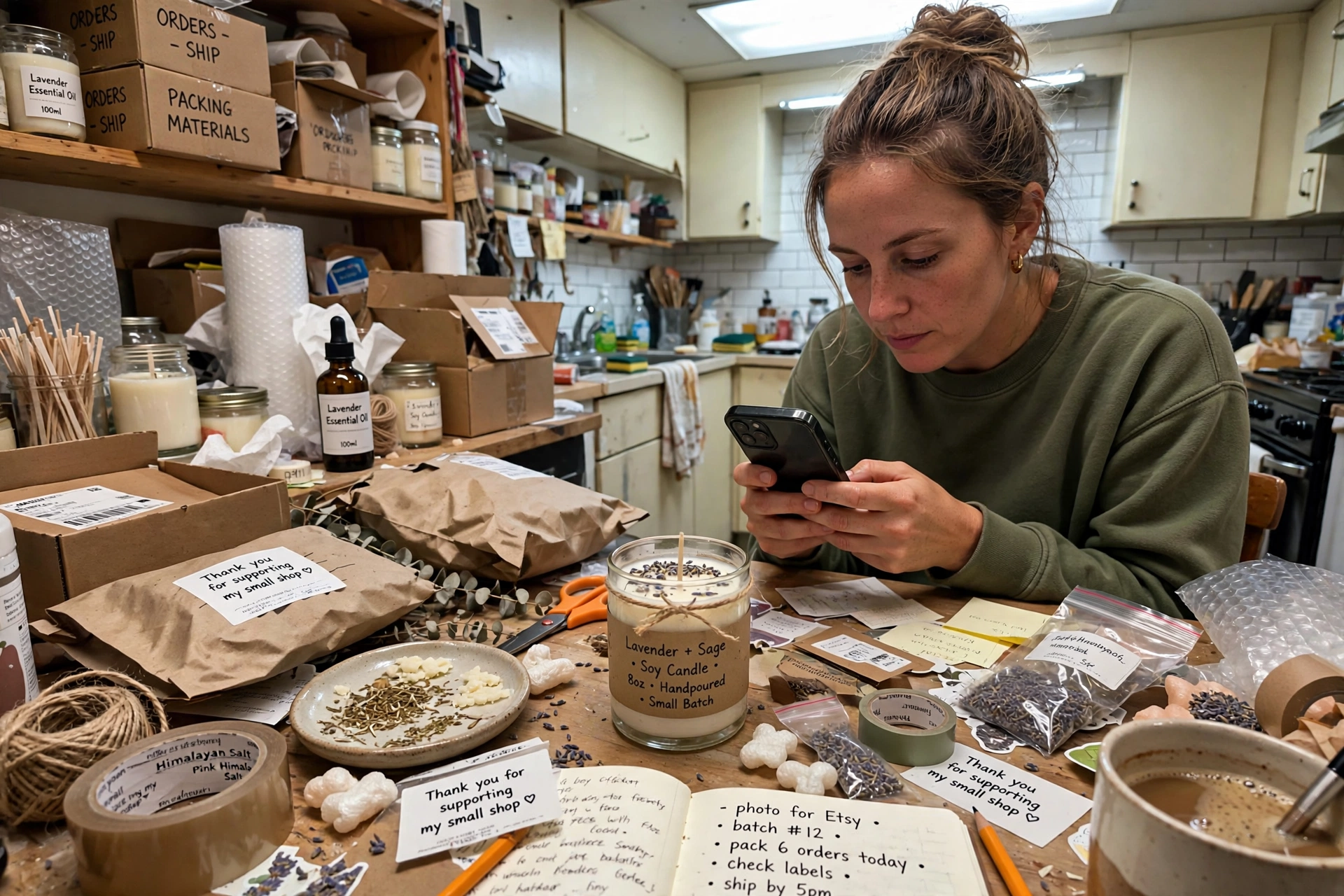
How to get product photos without a photo shoot: the options, ranked honestly
1. Fix the phone photos yourself — free, and underrated
Shoot in daylight beside a good window, never under ceiling lights. Clear the frame except one or two deliberate props, set the product on a plain surface — a wooden board, a linen cloth — and take three shots: one straight for truth, one close for texture and label, one in a real setting for scale.
Honest limit: it takes time per product, and your home is your only set. Fine for a small, stable range; it stops scaling for a growing catalog.
2. Generated product scenes — best when you need settings you cannot stage
This is AI product photography in the plain sense: you supply a photo of your actual product, and the tool places it into a styled scene — a bathroom shelf, a gift table — without you building the set or booking anyone.
Used well, it solves the two hardest snapshot problems, setting and consistency: the same candle in a spa scene and an evening scene, same light, same day. Used badly, it drifts from the truth, so check every output against the real item — color, label text, proportions. If a tool changes what your product is, rather than where it sits, do not use that image.
Disclosure: the next recommendation is an affiliate recommendation. If you buy through the link, the publisher may earn a commission at no extra cost to you.
For this job, one option worth testing is Rewarx Studio AI. The conditional part matters: test it on two or three products first, compare results against your real items, and keep using it only if the scenes stay faithful to what you ship. For highly detailed or reflective products, your own corrected phone photos may honestly serve you better.
3. Two other routes, honestly ranked
Placing a cut-out of your product onto a purchased stock background is fast and cheap, but mismatched light and shadow give it away — a pasted-on product can feel less trustworthy than an honest snapshot. It suits simple front-on pack shots only. Mailing products to a remote photographer returns genuinely photographed images, at the cost of per-product fees, shipping both ways, and no say if a shot misses what you pictured. Reasonable for a hero product; slow for a changing catalog.
Photos are not the same as ad creative — and you need both, separately
Product photography — including the generated scenes above — answers: "What is this, and what would it look like in my life?"
Designed ad creative answers a different question: "Why should I stop scrolling and care right now?" It adds what a photo never carries alone: a headline naming the benefit, a price or offer stated clearly, your brand's type and colors, and a layout built for the size it will run in. A scene with no words is a listing photo — not yet an ad.
That second job is Designful's. Its Ad Creative Pack delivers 5 ad creatives in 2 ratios, with 3 headline variants each — real typography set on top of the artwork, not guessed lettering — for $49 one-time, with a free preview before you pay. Its showcase includes candle-brand creatives for Ember & Oak, shown in the work gallery.
The honest order: faithful photo first, then ad creative. Skip the first and you get polished ads of an unclear product; skip the second, a clear listing nobody stops to see.
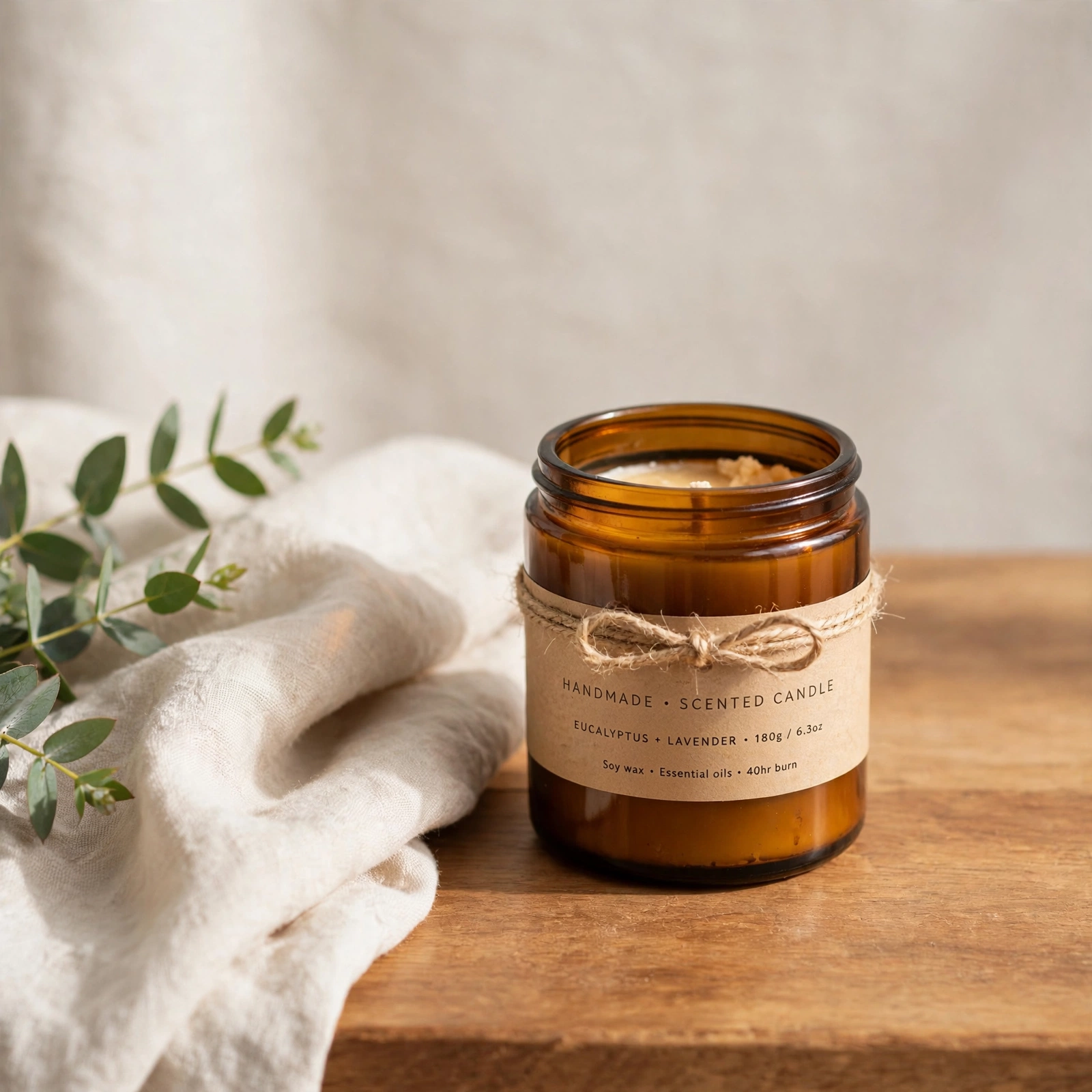
A worked example: one candle, no studio
An example, not a promise about any one shop's results. A seller's candle photo is a nighttime snapshot: yellow light, clutter, no sense of size. She reshoots beside a window on a wooden board with folded linen — ten minutes, no cost — and the color finally matches the jar she ships. From that honest photo she generates two styled scenes, checking each against the real jar. Then the strongest image goes into an Ad Creative Pack: ads that say what the photo cannot — what the candle is for, who it is a gift for, what it costs.
Who this is for — and who it is not for
This fits you if you sell a small or growing range online and need consistent listings and ads without booking a shoot for every new item.
It does not fit if your selling point is a detail a generated scene might smooth over — intricate handmade variation, exact gemstone color, one-of-a-kind pieces. For those, careful photography of the actual piece is not overhead; it is the product description.
Frequently asked questions
Will buyers be able to tell a generated scene from a photographed one?
Sometimes, if the output is careless — warped labels and impossible shadows are the giveaways. Publish only faithful scenes, and keep one honest photo of the actual item on every listing.
Do marketplaces allow generated product scenes?
Rules differ by marketplace and category, and they change. Check the current photo policy where you sell, and never use a scene that misrepresents size, color, or contents.
If my photos are fixed, why do I still need ad creative?
The photo proves what the product is; the creative — headline, offer, brand type, layout — earns the click that gets a buyer there.
Start with the photo, finish with the words
Pick one product — your best seller, or the one with the photo you least like showing people. Fix its photo with the most honest route above, then see it as finished ad creative before spending anything: start with Designful's free preview and judge the output yourself.